Private Worlds Panel
The Private Worlds panel lists the private worlds of your game and lets you prepare new ones, for example one world per class before a school visit. It is shown only for games whose settings, or one of whose published versions, use private worlds.
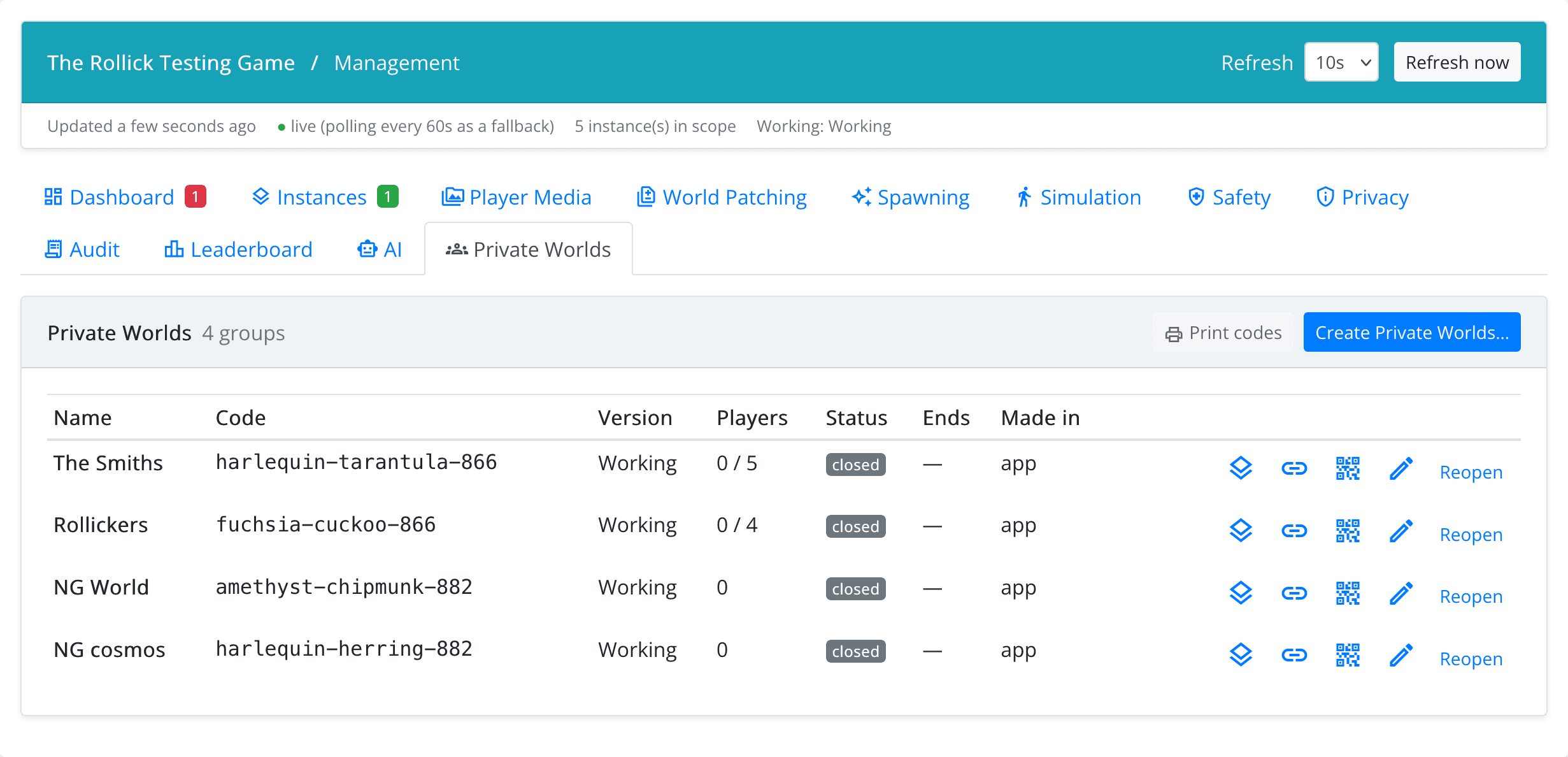
The List
Each row is a world:
| Column | What it shows |
|---|---|
| Name | The world's name, given by the player who created it or by you. |
| Code | The code players type to join, e.g. olive-dolphin-579. |
| Version | The game version the world belongs to. |
| Players | How many players are in it, and the maximum when there is one (e.g. 12 / 30). |
| Status | open (takes new players), closed (takes no new players) or expired (its lifetime is over). |
| Ends | When the world expires, if it has a lifetime. |
| Made in | app (created by a player) or console (created by a game master). |
The buttons of each row:
- Open its instance (multi-player games): opens the world's game instance in the Instances panel.
- Copy the join link: a link that opens the world in the player app (
https://rollick.tuc.gr/mp/app/games/join/<code>). - QR code: the world's QR code, to show on a screen or print. Players scan it from Got a world code? on Home.
- Rename, limits: change the name, the maximum number of players (not below the players already in it) and the end date.
- Close / Reopen: stop the world from taking new players, or take them again. Players already in it go on playing.
Print codes opens a printable sheet with one card per open world: its name, its code and its QR code, with a short note on how to join. Hand them out to your groups.
Creating Worlds
Create Private Worlds… prepares one or more worlds at once:
| Field | What it does |
|---|---|
| Version | The published version the worlds belong to. Only versions published with private worlds on are offered. |
| How many | How many worlds to create (up to 50 at a time). |
| Name | The name, or the start of the names: Room gives Room 1, Room 2, … when you create more than one. |
| Maximum players | Empty: the game's default. |
| Ends on | Empty: the game's default lifetime. |
In a multi-player game each world gets its own game instance at once, so its spawners are ready before the first player arrives. You own the worlds you create, but you are not a player in them. A world you created stays open even when its players leave, ready for the group it was made for.
Worlds Elsewhere in the Console
- Instances: a World filter and a Group column show which world each instance belongs to. Move to another instance can move a player into the instance of a private world.
- Leaderboard: in a single-player game, pick a world to see its players ranked together.
- Game Analytics: instances are labelled with the name of their world.
A world's code is a shared secret, not a password: anyone who has it can join while the world is open. For a game that must be restricted to known players, keep using the authorised players list or a passcode: they still apply to players who come with a code.