Spawning
The Spawning panel shows what your spawners are doing in the running game instances: when each one runs next, what it produced, how many of its objects are alive, and why one spawns nothing. The panel is shown for games that have spawners.
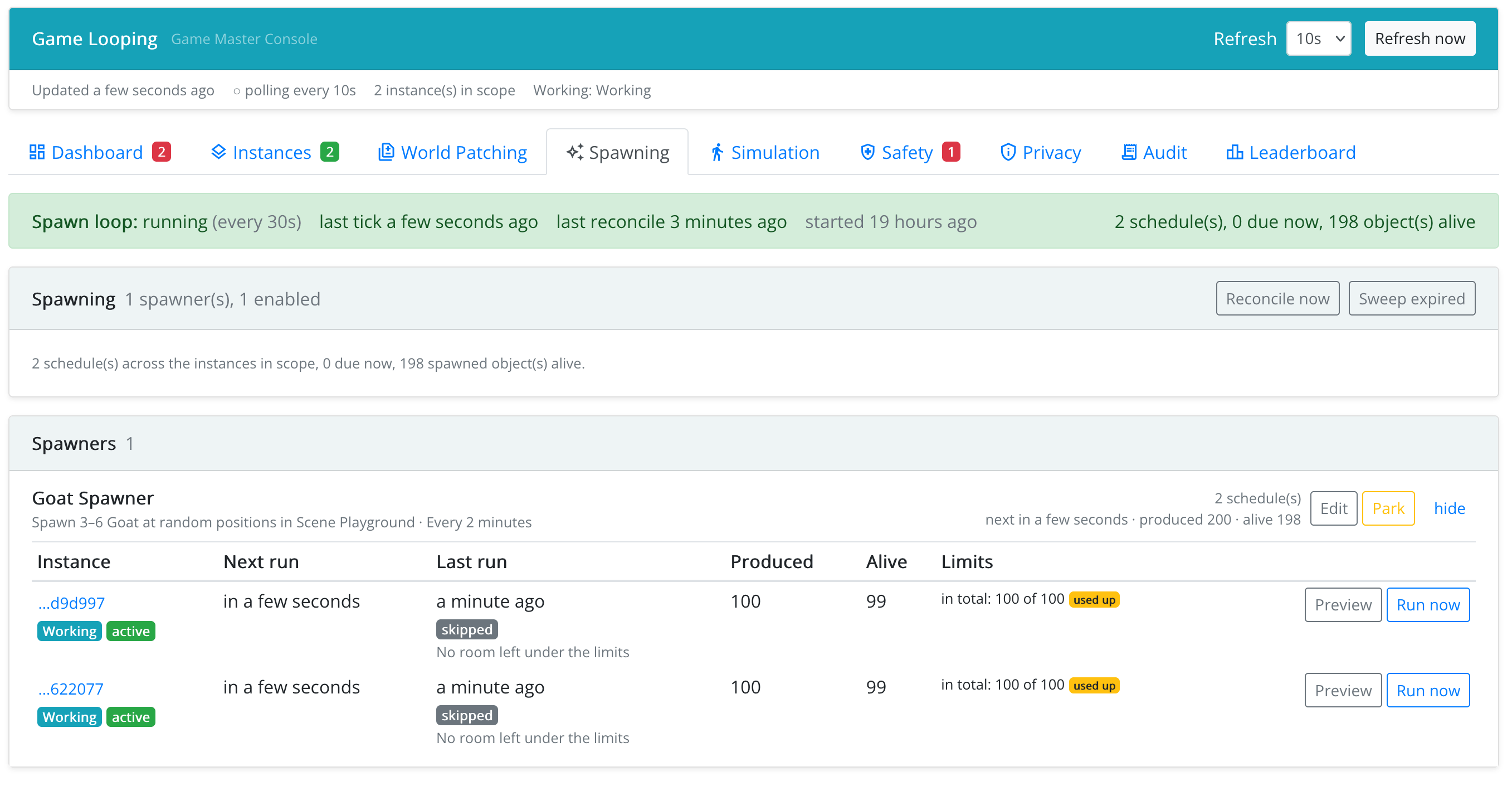
Spawn Loop
The band at the top says whether spawning is running (on), in a dry run (spawners are worked out but nothing is placed), or off on this server, with when it last ran. If it says the loop is off, nothing is spawned anywhere: ask your Rollick administrator.
Spawners
One row per spawner: its name, a plain-language summary of what it does, whether it is enabled, whether it has errors, and across the instances in scope: how many instances run it, its next run, how many objects it has produced and how many are alive now.
- Edit opens the spawner in the design environment.
- Park stops it running in every instance, keeping its counters; Resume starts it again. (To disable a spawner for good, untick Enabled in the design environment.)
Schedules
Expanding a spawner lists its schedule in each game instance: the next run (or parked, and why), the last run with its outcome and reason, how many objects it produced, how many are alive, and how far it is into each of its limits.
For each instance you can:
- Preview a run: the console works out, without placing anything, the object type, the scene, a sample position, the count, how many objects are alive, and whether each Only while condition passes. This answers the question why is this spawner not spawning?
- Run now: one real spawn, outside the schedule. It respects the limits and does not move the next scheduled run.
Alive Now
Spawned objects alive now shows the objects the spawners have in the world right now, by scene and on the map. It shows at a glance a scene that is flooded while another stays empty.
Maintenance
- Reconcile now picks up game instances that started a moment ago and have no schedule yet (normally done within a few minutes).
- Sweep expired removes spawned objects whose lifetime is over (normally done every 30 seconds).
Elsewhere in the Console
- The Dashboard has a Spawned objects tile (objects alive, schedules due, failures), and the attention feed reports spawners that failed on their last run, spawners whose settings are invalid, and spawners that have used up a limit.
- An instance has a Spawning tab with the schedules of that instance.
- In an instance's World, spawned objects are marked as created by a spawner and can be filtered.