Audit
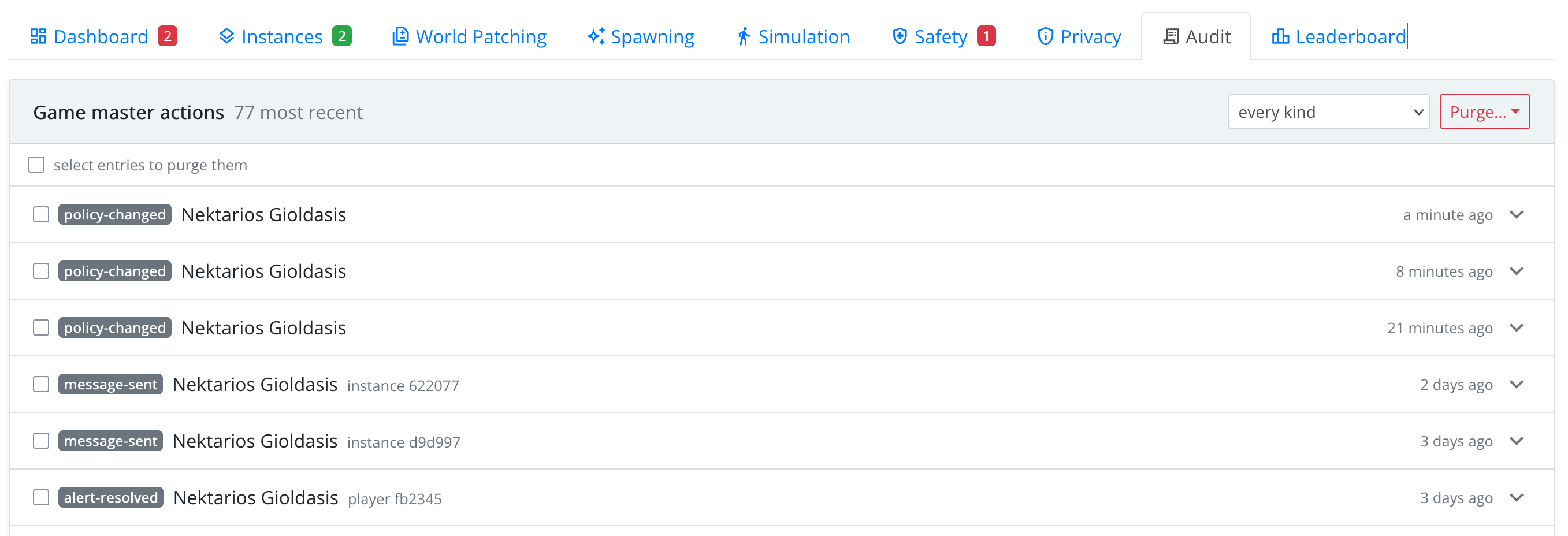
Every change made through the console (a message sent, a playing period changed, an instance terminated, an object moved, a player reset, a patch applied, a rule saved, data deleted) is recorded in the audit trail. The Audit panel shows it, most recent first.
Each entry says what kind of action it was, who did it, where (instance and player) and when. Actions that failed are marked in red. Expand an entry to see what was asked for (including the reason given) and the result. Use the kind filter to see, for example, only messages or only player resets.
The trail answers questions such as why does this instance differ from the design? or who ended this game, and why? It is also a record for your players: it shows what game masters did to their games.
Purging the Trail
The trail grows with every action. Purge… deletes part of it: the entries you selected, every entry of one kind (filter first), entries older than a number of days, or everything for this game. You see how many entries will be deleted before you confirm.
The purge itself is recorded, with what it removed, so the trail always shows that it was cut down.