Flow
The Flow panel shows how players moved through your game's scenes, and where those who did not finish stopped.
Scene Paths
The Scene paths diagram (a Sankey diagram) follows players from scene to scene. Each column is a step: the first scene players entered, the second, and so on; the width of each band is the number of players who took that way. Paths end in Completed the game, Did not complete, or Later scenes. Above each column is the number of players who stopped there.
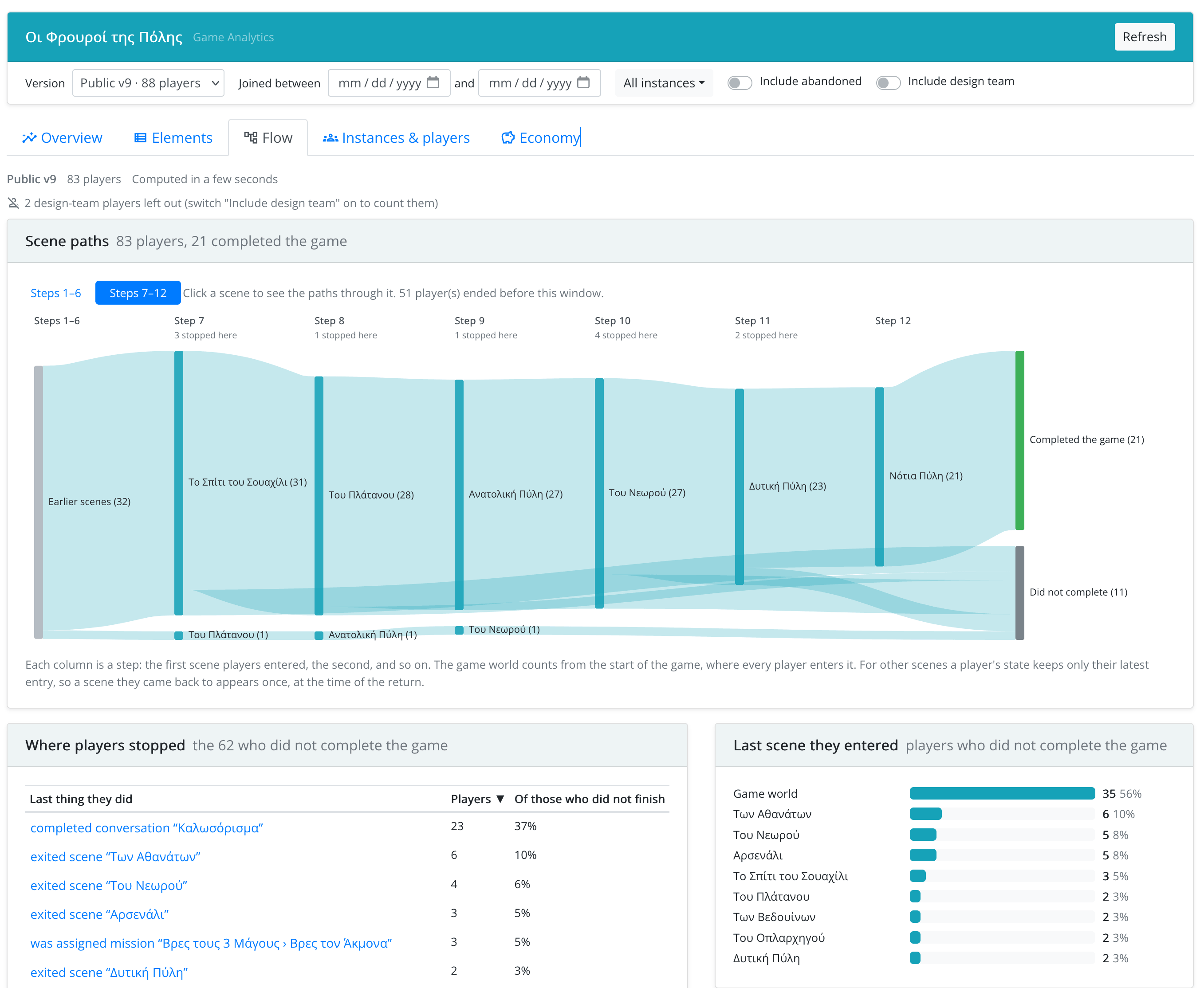
- The diagram shows six steps at a time. Use Steps 1–6, Steps 7–12, … to page through longer games.
- Click a scene to see only the paths through it: the three scenes before it and after it. Back to all paths returns to the full view.
Every player enters the game world when the game starts, so it is always the first step. For other scenes, the game keeps only a player's latest entry, so a scene a player came back to appears once, at the time of the return.
Transitions
A table of scene-to-scene moves, with the number of players who made each one.
Where Players Stopped
For the players who did not complete the game:
- Where players stopped: the last thing they did (e.g. saw statement "…" of conversation "…"), grouped, with the share of players. Click one to open the element.
- Last scene they entered.
- Branches nobody took: conversation options that nobody chose, although at least 5 players answered their statement.